Retirement Accounts: a complete walkthrough
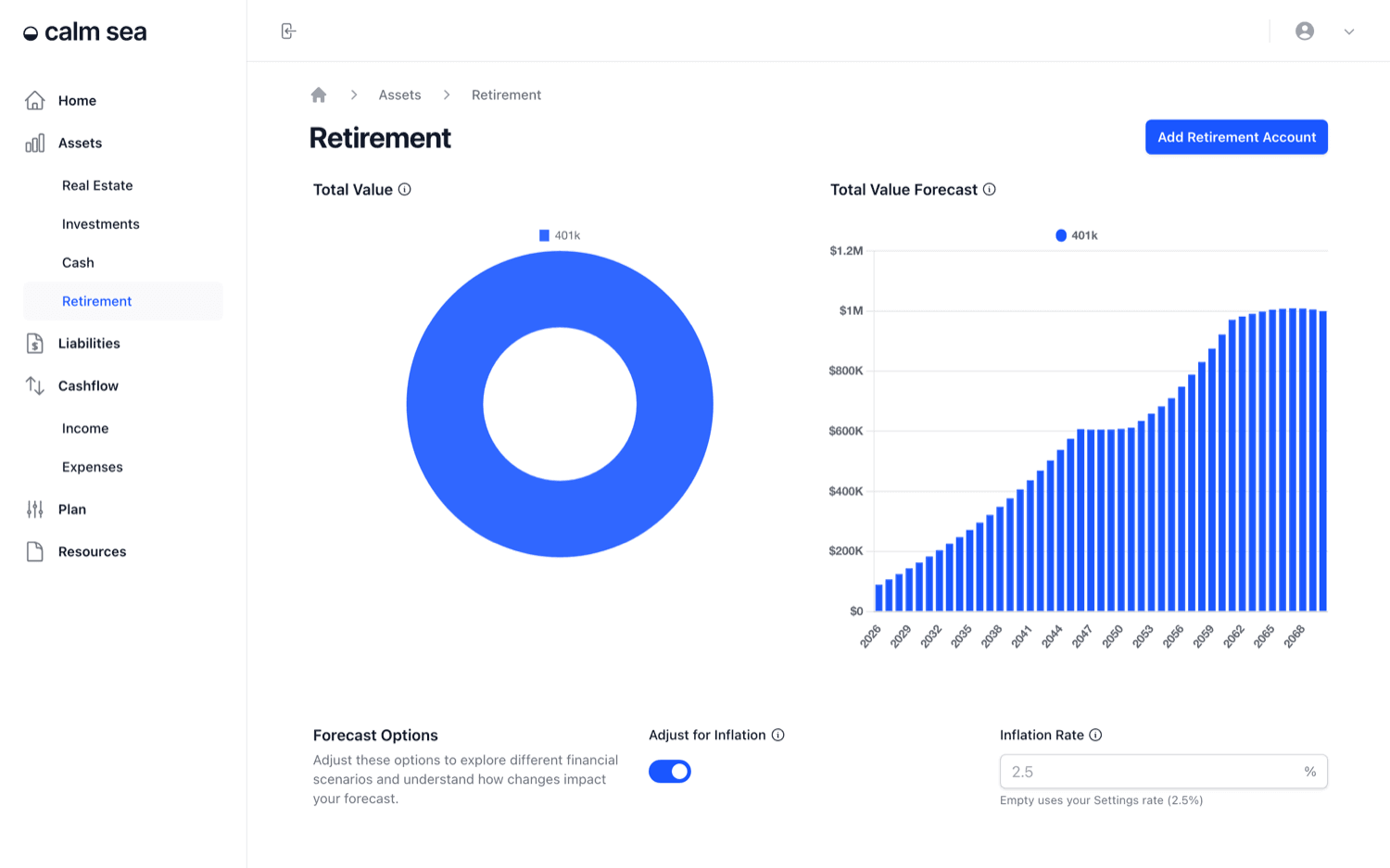
The Retirement section is for savings held in retirement accounts: a workplace plan, a personal pension or any account built to fund retirement. It tracks balances, the contributions going in from your pay and your employer, and how each account could grow until you need it.
What you'll be able to do: By the end of this guide, you'll know how to read the Retirement dashboard, link contributions to your income, and see how much of a future balance comes from contributions versus investment returns.
Finding the Retirement page
Open Retirement, the last item under Assets in the sidebar.
Reading the dashboard charts
Total Value is a doughnut chart of your current retirement balances, split by account. Total Value Forecast projects the combined balance each year, stacked by account, using each account's projected growth rate and contributions.
Under the charts, Forecast Options lets you turn on Adjust for Inflation to show the forecast in today's dollars. Leave Inflation Rate empty to use your Settings rate.
Using the Retirement table
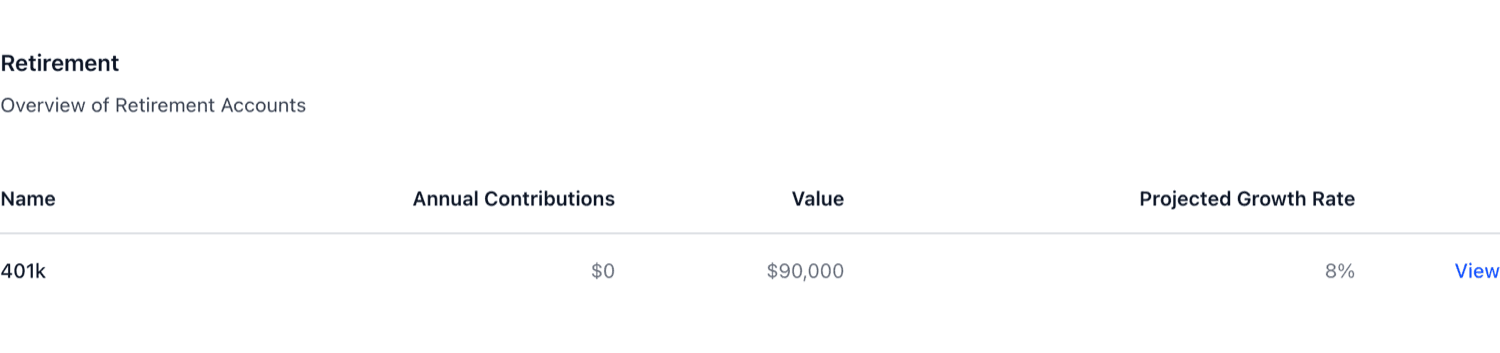
The table lists each account with its annual contributions, current value and projected growth rate. Click View to open an account.
Seeing what drives an account's balance
An account's Overview tab charts its value over time, split into today's current balance, the contributions still to come, and investment returns.
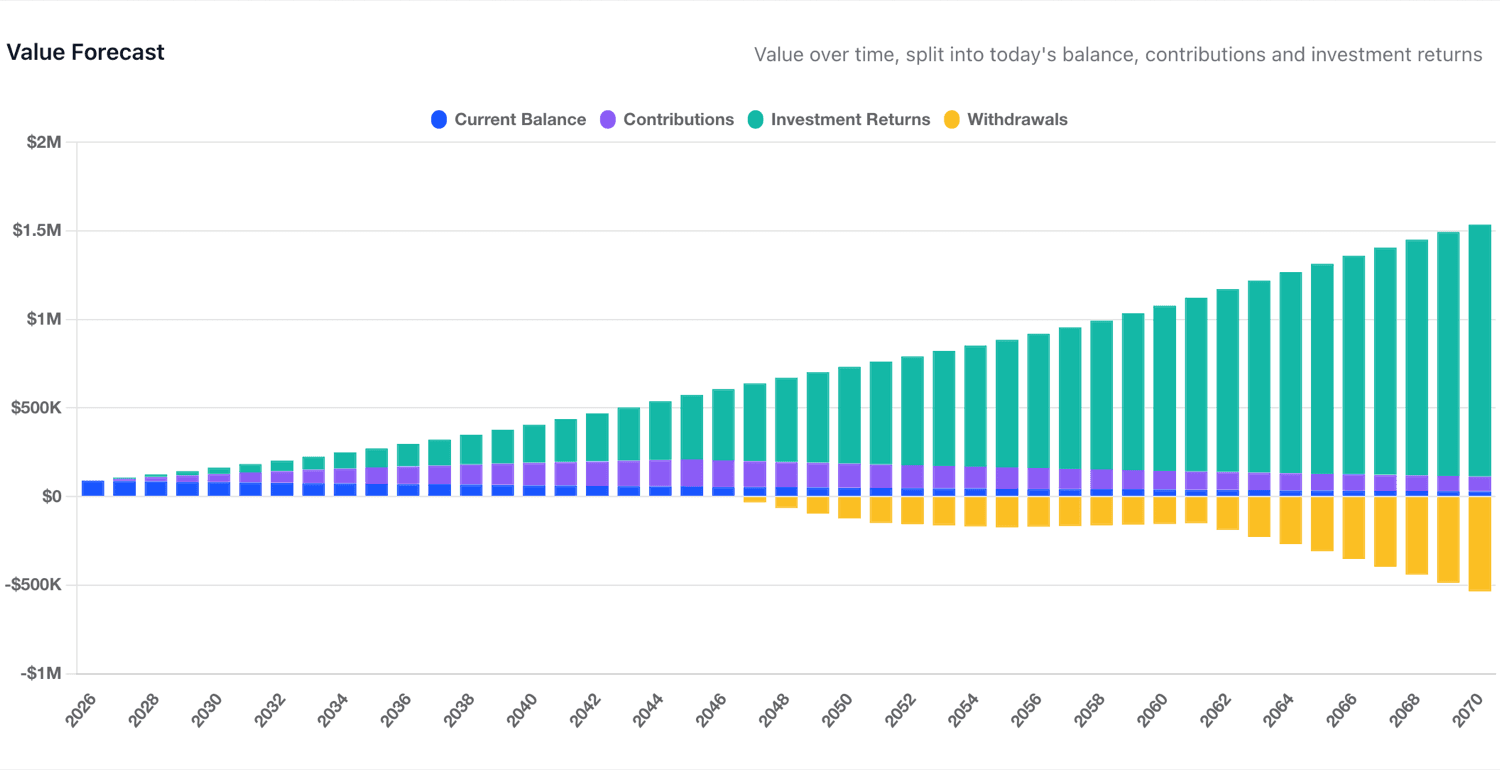
The summary under the chart shows the balance at the end of the projection and the share that each part makes up. The retirement savings by age guide has common benchmarks to compare your balance against.

Adding a retirement account
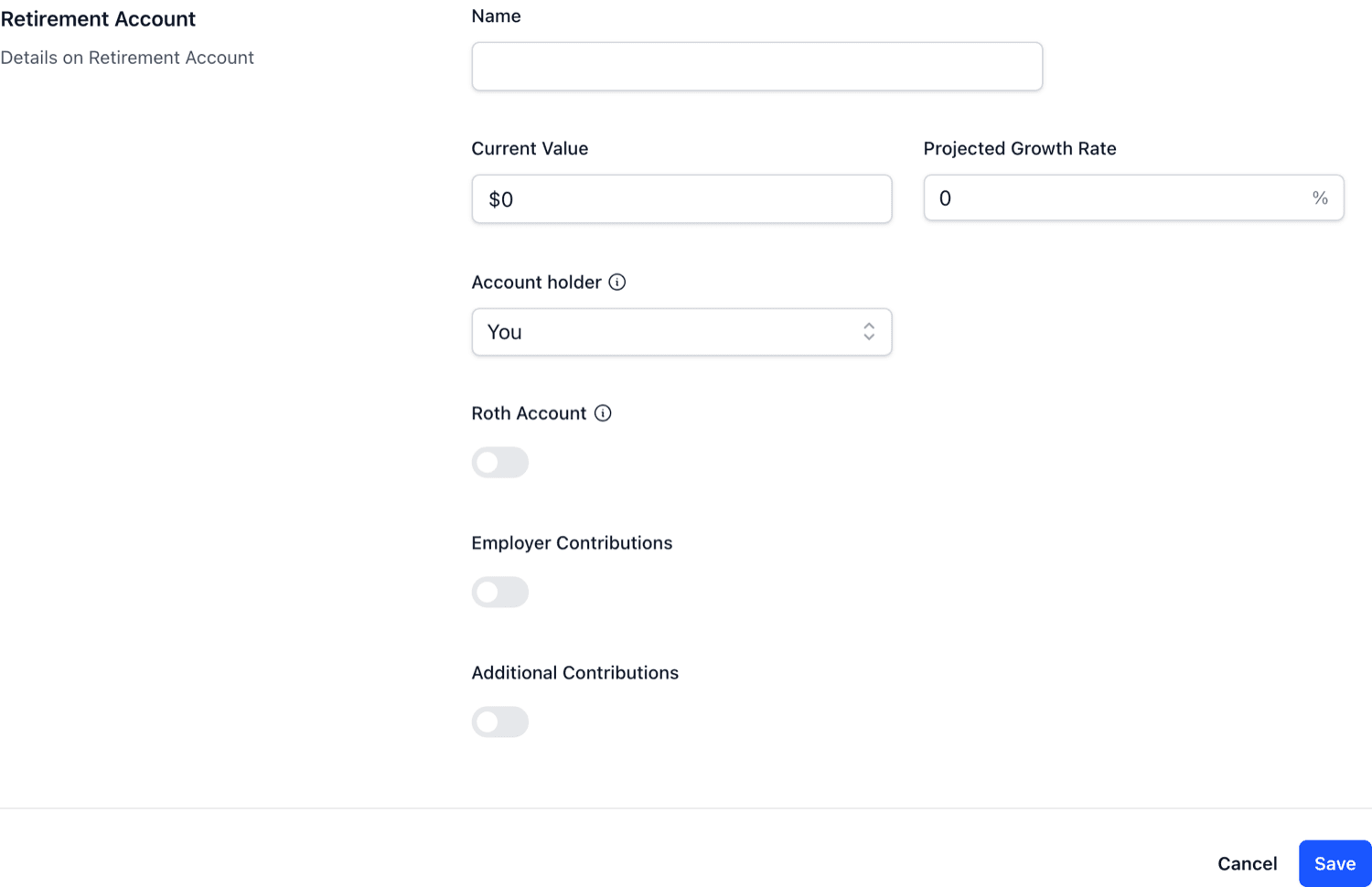
Use Add Retirement Account on the Retirement page. Enter a Name, the Current Value, a Projected Growth Rate and the Account holder (you or your partner). Turn on Roth Account if withdrawals from the account are tax-free in retirement.
Linking contributions to your income
On an account's Details tab, turn on Employer Contributions and link the account to an income, such as your salary. Then set:
Income Contribution Percentage - the share of that income paid into the account.
Employer Contribution - whether the contribution is paid in addition to your income or comes out of it.
Additional Contributions - any extra amount you add yourself, with a frequency and an optional Contributions End Year.
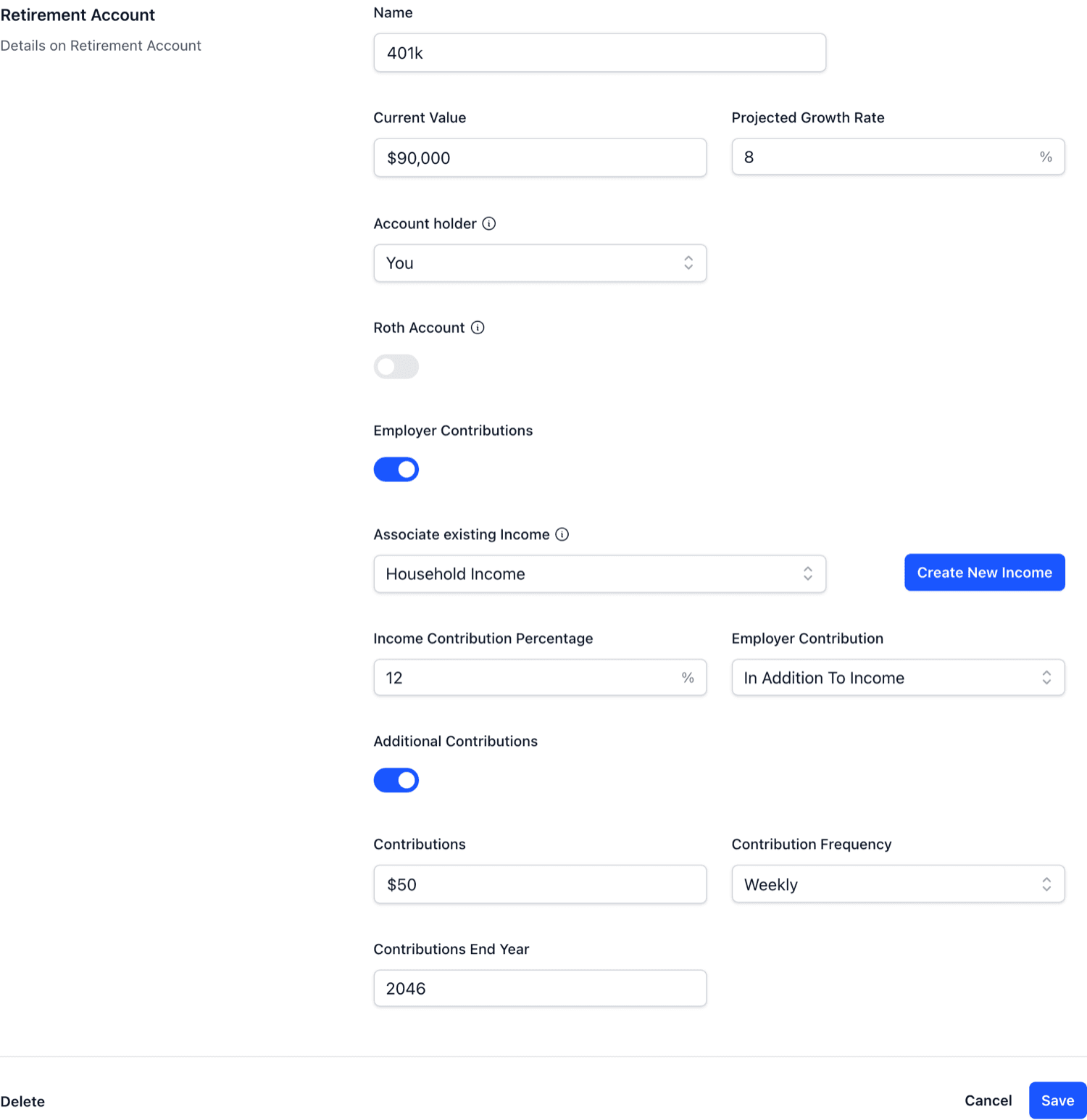
Linked contributions are worked out from that income, so they follow it as it changes. You can see them flowing into the account on the Cashflow page.
Retirement accounts can be one of the sources your plan draws from in retirement. Some accounts can only be drawn from a certain age. The Plan guide explains how Calm Sea handles that in its drawdown order. For background on the account types themselves, see what a 401(k) is and what an IRA is.