Real Estate Assets: a complete walkthrough
Everything you need to know to navigate the Real Estate Dashboard and how they interact with other accounts such as Liabilities.
What you'll be able to do: By the end of this guide, you'll know how to interact and interpret every section of the Real Estate Real Estate Dashboard and how assets can evolve over time using projection modeling.
Finding your way to the dashboard
The Real Estate Dashboard can be easily accessible from anywhere on the website by clicking on the first item inside the Assets Section in the Side Bar.

Understanding the Real Estate Dashboard Summary
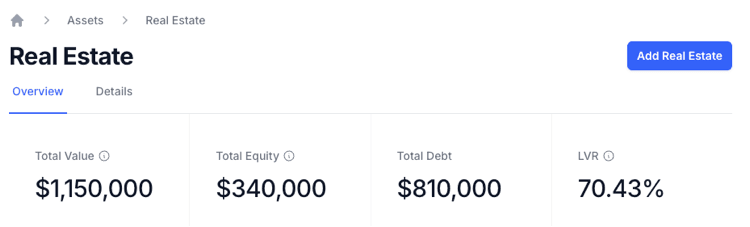
At the top of the Real Estate Dashboard, four summary cards show some important metrics. This is a similar structure to the parent Assets Dashboard but filtered to be specifically Real Estate. The Summary Cards are the following:
Total Value - This is the accumulative sum of all your Real Estate assets
Total Equity - This the accumulative sum of all your Real Estate assets minus the accumulative sum of all your Liabilities associated with Real Estate
Total Debt - This is the accumulative sum of all your Real Estate Liabilities
LVR - This stands for Loan-to-Value Ratio is a percentage figure to compare the size of total Liabilities against total Assets for Real Estate
Understanding the Real Estate Dashboard Charts
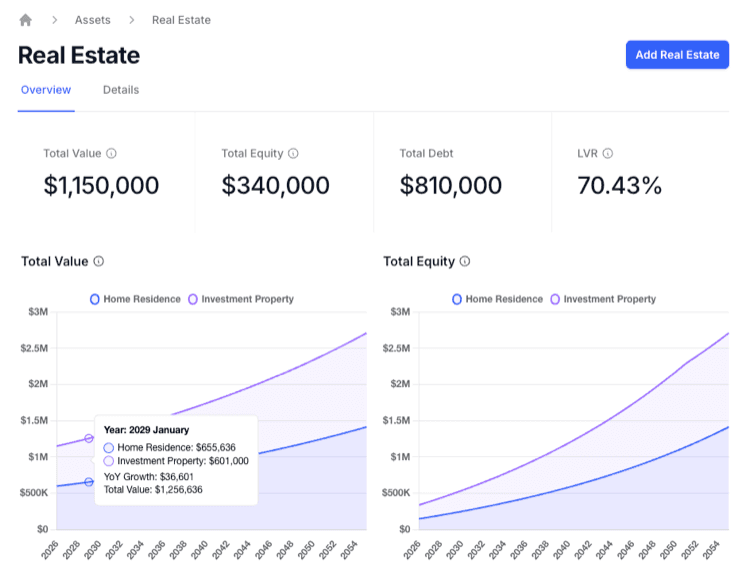
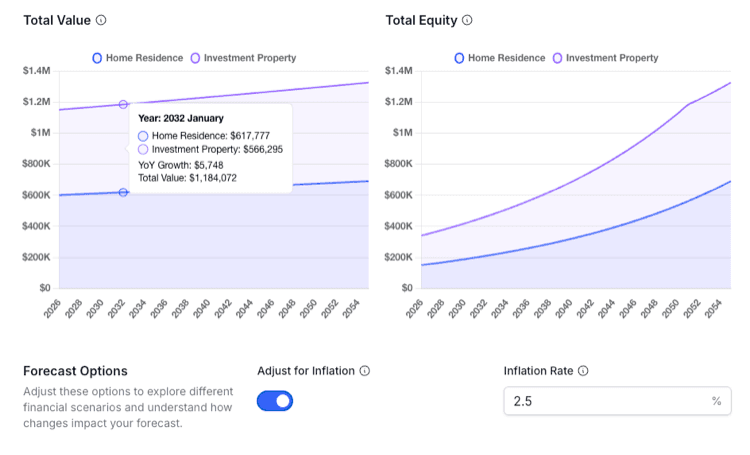
There are two charts, Total Value and Total Equity, together they provide an overview of the current make up of your Real Estate and provides a projection model of the value and equity derived from Real Estate over time.
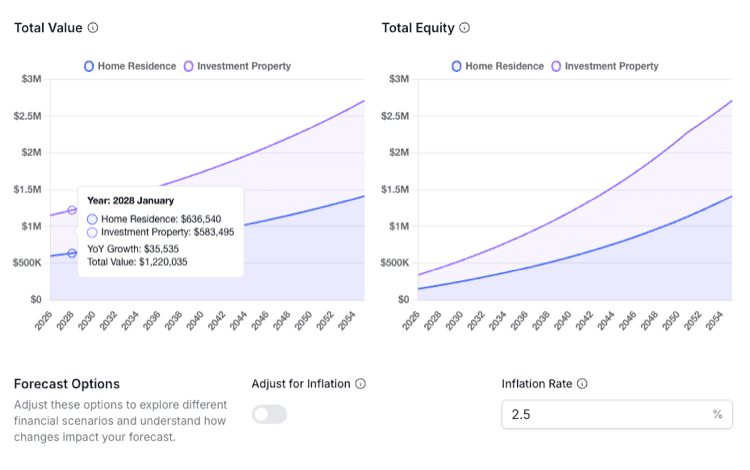
The Forecast Options provide an opportunity to recalibrate the projection models into today's present value by toggling on Adjust for Inflation. Put another way it can show the future value in today's present value.
Present Value is the current worth of a future sum of money or stream of cash flows, based on a specific rate of return (the discount rate).
An example of this is if you assume you have an asset that is worth $100 that grows in value at 3% per annum, but inflation is also at 3% per annum. Then 1 year, though the asset will be worth $103 in future value, it will be $100 in Present Value.
The input field Inflation Rate allows you to alter the projected average inflation rate and see the impact it has on the value of your Real Estate Assets. Using this feature you are able to see the real growth rate of your Real Estate Assets against inflation.
Understanding the Total Real Estate Table
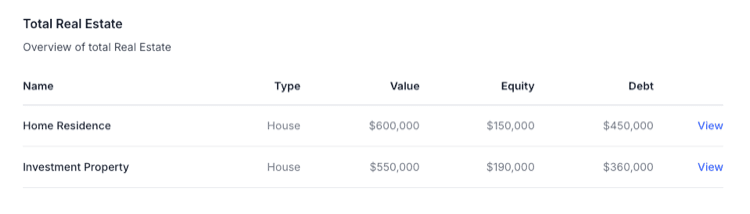
As powerful as charts can be at presenting meaningful information, sometimes you just want to see data in a table. The table section allows you to see the list of Real Estate Assets, see any liabilities associated and the ability to drill down into individual Real Estate Assets via the View link.
Understanding Real Estate Assets Details
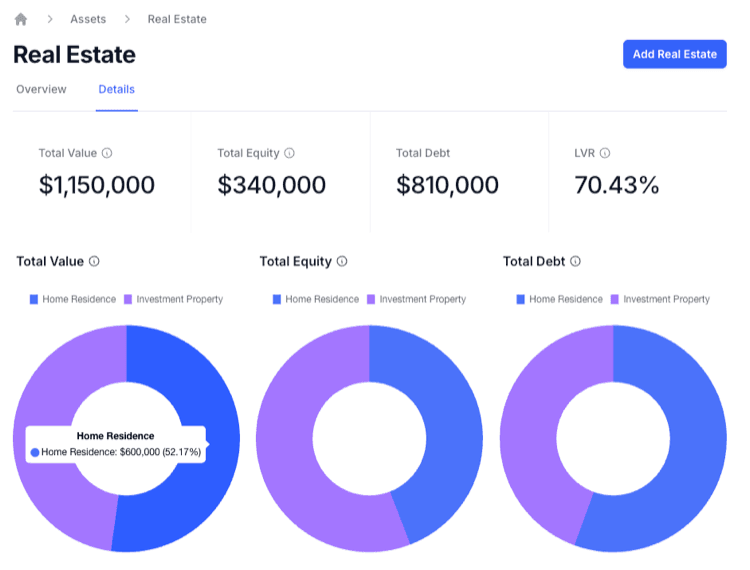
The Details Section provides a cross section of the current breakdown of your Real Estate Assets and their associated Equity and Liabilities. This representation is portrayed as Doughnut Charts showing the percentages of each Real Estate Asset and gives you another opportunity to drill down into each individual Real Estate Asset by clicking on each chart section.