Best FIRE Tracking App: 6 Top Options Compared

Table of Contents
- Quick answer
- What a FIRE Tracking App Actually Needs to Do
- Best FIRE Tracking Apps Compared
- The Options in Detail
- How to Choose a FIRE Planning App
- Frequently Asked Questions
Quick answer
There is no single best FIRE tracking app, because the options are built for different jobs. For detailed long-range FIRE modelling with Monte Carlo simulation, ProjectionLab and Boldin are the most complete. For free, automatic net worth tracking from linked accounts, Empower Personal Dashboard is hard to beat. For budgeting with account syncing, Monarch Money leads. For simple manual-entry projections that include property and loans, without connecting your bank, Calm Sea is a good fit, and a spreadsheet still works if you want full control.
Prices and features checked September 2026 on each product's own website.
What a FIRE Tracking App Actually Needs to Do
A budgeting app tells you where your money went. A FIRE tracking app tells you where your money is going, and whether you'll reach financial independence on the timeline you want. That forward-looking view is what separates the best FIRE tracking app for you from a general finance app that happens to show a net worth number.
Whichever tool you pick, it should cover the metrics below. If it can't show most of them, it's a budgeting tool, not a financial independence app.
Net worth over time
Your net worth, everything you own minus everything you owe, is the foundation of FIRE progress. One figure today is not enough. You need to see it trend over months and years, across cash, investments, retirement accounts, property and debts. Our guide on how to track net worth covers the methods in detail.
Your FI number and progress toward it
Your FI number is the portfolio you'd need to cover your annual spending indefinitely. The common rule of thumb is 25 times annual expenses, which comes from the 4% rule. A useful tracker shows that target and how far along you are. For example, $450,000 against a $1.5 million target is 30% of the way.
Savings rate
Your savings rate, the share of income you save and invest, is the lever you control most directly. It drives how quickly your net worth grows, and some tools calculate it for you while others leave it to you.
Long-range projections
A FIRE planning app has to look forward. At minimum it should project your portfolio year by year using growth and inflation assumptions. More advanced tools add Monte Carlo simulation, which runs thousands of randomised market scenarios to estimate how likely a plan is to last. It's worth checking your withdrawal assumptions too; the safe withdrawal rate calculator shows how different rates change the portfolio you need.
Property and liabilities
Many people on the path to FIRE own a home or an investment property, and carry a mortgage against it. A tracker that ignores property or liabilities gives a flattering but incomplete picture of net worth.
Cash flow
The gap between income and expenses is what funds your investments each month. Seeing that gap, and how it changes, explains why your net worth is or isn't moving.
Best FIRE Tracking Apps Compared
The tables below compare six options on the points that matter most for FIRE. "Not stated" means the vendor's own website doesn't mention the capability. It doesn't necessarily mean the feature is missing.
FIRE tracking features
| Option | FI progress | Savings rate | Projections | Property and debts | Cash flow |
|---|---|---|---|---|---|
| Calm Sea | Projected timeline | Not a metric | Your growth rates | Yes, with LVR | Yes |
| ProjectionLab | Time to FI | Not stated | Monte Carlo (free) | Home and debts | Premium |
| Boldin | Retirement plan | Not stated | Monte Carlo (paid) | Paid plan | Paid plan |
| Empower | Retirement Planner | Savings Planner | Monte Carlo | Linked loans | Yes |
| Monarch Money | Net worth | Not stated | Forecasting (Plus) | Yes | Yes |
| Spreadsheet | DIY | DIY | DIY formulas | Manual | Manual |
Cost and setup
| Option | Bank syncing | Free option | Paid price | Best for |
|---|---|---|---|---|
| Calm Sea | No, manual entry | Yes, Limited | $9/mo or $89/yr | Private, simple projections |
| ProjectionLab | No, by design | Yes, Basic | $129/yr | Detailed FIRE modelling |
| Boldin | Paid plan | Yes, Basic | $144/yr | US retirement and tax planning |
| Empower | Yes | Yes, free | Free dashboard | Free automatic net worth |
| Monarch Money | Yes | 7-day trial | $99.99/yr or $14.99/mo | Budgeting with sync |
| Spreadsheet | No | Yes | Free | Full control |
The Options in Detail
Calm Sea
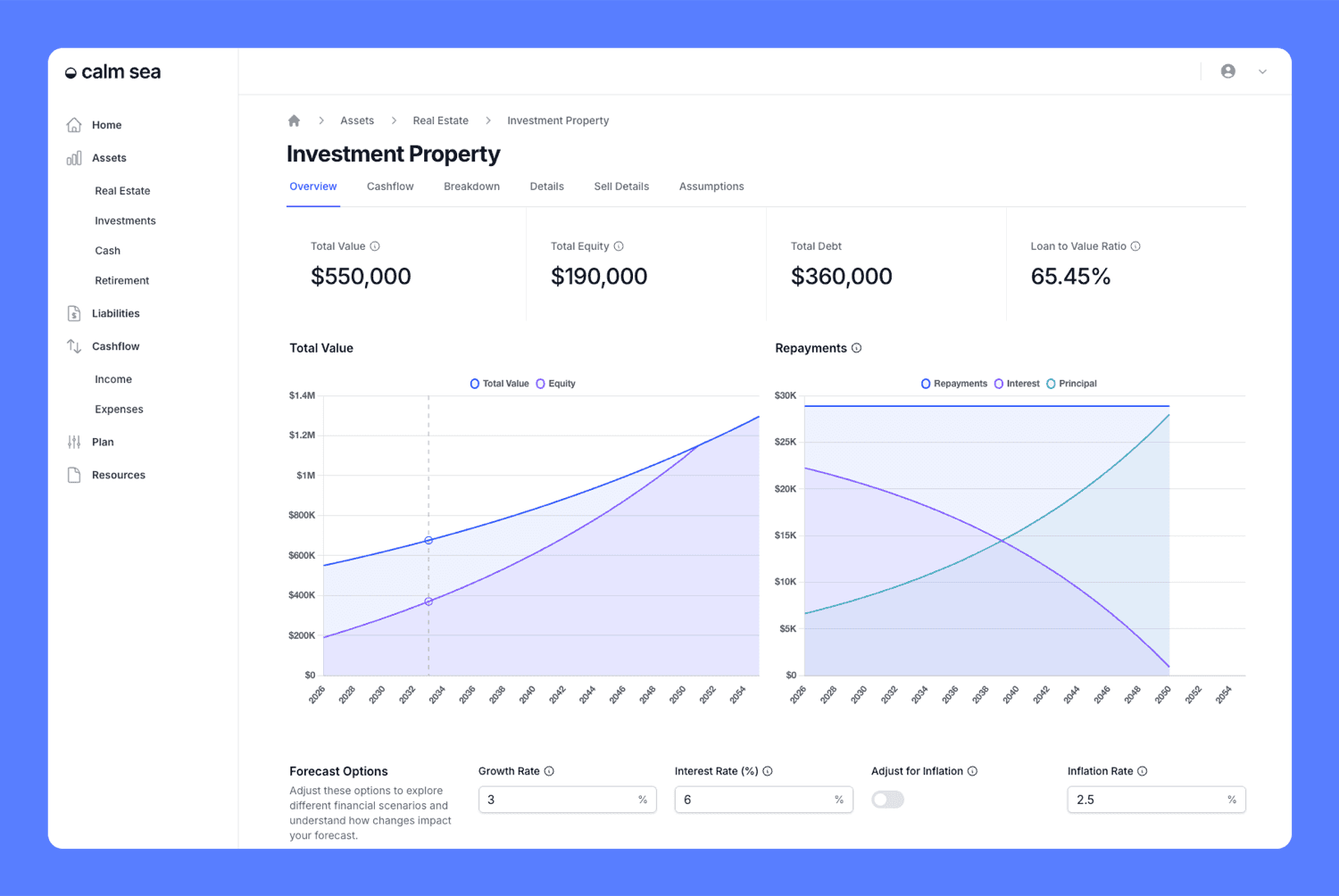
Calm Sea is a financial planning app built around projections rather than budgets. You enter your assets (property, investments, cash and retirement accounts), your liabilities, income and expenses, and Calm Sea projects your net worth forward so you can see where you're headed and when you could retire.
Liabilities can be linked to the asset they're secured against, such as a mortgage against your home, and the dashboards show equity and loan-to-value ratio (LVR). Projections can be switched to today's dollars with an inflation setting, and you can test scenarios to see how a change affects the outcome.
Calm Sea is entirely manual-entry. There's no bank linking, no read access to your accounts and no ongoing syncing. That keeps setup quick and your credentials private, but it also means updating balances yourself.
What it doesn't do:
Calm Sea doesn't sync with banks, doesn't run Monte Carlo simulations (projections use the growth rates you choose), and doesn't show a dedicated FI-number or savings-rate metric. The free Simple plan lets you create projections, but saving your data requires the paid plan.
Pricing:
Simple is free. Everyday Users is $9 a month or $89 a year and adds saving your data and more (see pricing).
Best for:
People who want a clear long-range picture that includes property and loans, and who prefer not to connect their bank accounts.
ProjectionLab

ProjectionLab is a dedicated long-range planning tool. Its site highlights calculating "time to financial independence", journaling your actual progress against your projections, historical backtesting, and planning for decisions like buying a home or renting versus owning. Monte Carlo simulation and historical backtesting are included in the free Basic plan.
Like Calm Sea, ProjectionLab doesn't link to your accounts; its site says there's no link to your accounts. Premium, at $129 a year, adds cash-flow projections, tax estimation and optimisation, withdrawal strategies, Roth conversions, compare mode and multiple plans. A Pro plan at $549 a year is aimed at financial professionals.
Best for: People who want the deepest FIRE modelling available and are happy to spend time building a detailed plan.
Boldin (formerly NewRetirement)
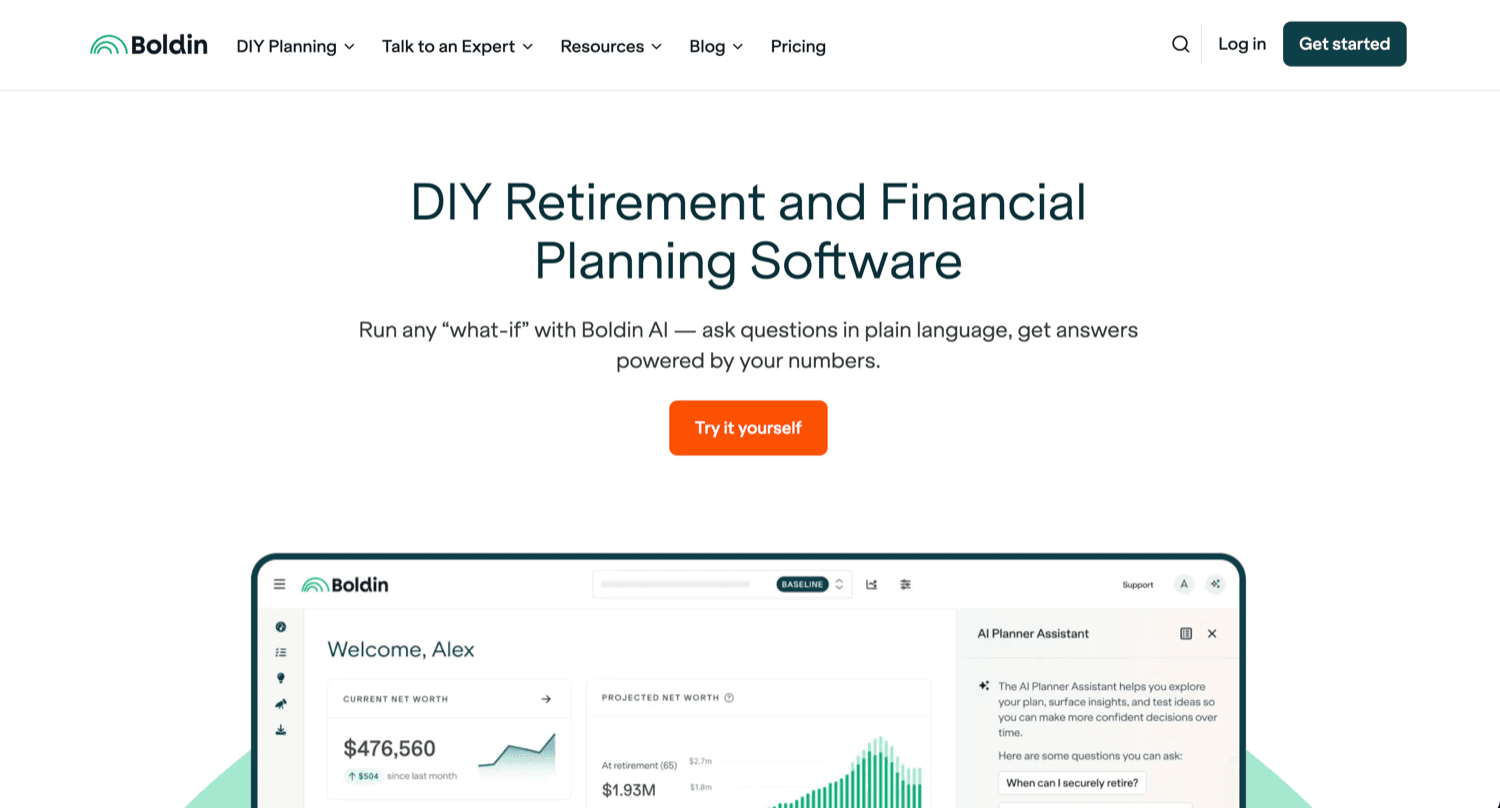
Boldin is the new name for NewRetirement, and it focuses on retirement planning. The free Basic plan lets you build a personalised plan and try "what if" scenarios. PlannerPlus, at $144 a year after a 14-day free trial, adds Monte Carlo analysis, account linking through data aggregators, real estate and liability modelling, cash flow planning, detailed budgeting, a Roth conversion explorer and state and federal tax projections (Boldin pricing). Boldin also sells a one-off advisory plan review for a flat fee.
Its tax and Roth features are built around the US system, so it's strongest for US households planning a traditional or early retirement.
Best for: US-based planners who want retirement, tax and withdrawal modelling in one place.
Empower Personal Dashboard

Empower Personal Dashboard (formerly Personal Capital) is free. It links to your financial accounts and brings together net worth, budgeting and cash flow, portfolio analysis and a Retirement Planner, which runs a Monte Carlo simulation using 5,000 scenarios (Empower Retirement Planner). Because it syncs automatically, net worth tracking takes almost no ongoing effort once accounts are connected.
The trade-off is that the dashboard sits alongside Empower's paid advisory business. Its site states that its advisory services require investing over $250,000 and are provided for a fee, so larger investors should expect to hear about them.
Best for: People who want automatic net worth tracking and a retirement check, and are comfortable linking accounts.
Monarch Money

Monarch Money is a budgeting-first app with strong account syncing. It connects to financial institutions and lets you see bank accounts, credit cards, loans, real estate and investments in one place. The Core plan costs $14.99 a month or $99.99 a year after a 7-day free trial, and a payment method is required to start the trial. Monarch Plus, at $199.99 a year, adds forecasting of your financial future, advanced investment analysis and business tracking (Monarch pricing).
Monarch's strength is day-to-day money management. Its site doesn't mention Monte Carlo simulation, so long-range FIRE modelling is lighter than in the dedicated planners.
Best for: Households who want budgeting and net worth together with automatic syncing, and add FIRE planning on top.
A spreadsheet or FI calculator

A spreadsheet remains the classic FIRE tracker. It's free, completely private and as flexible as you want it to be. You can calculate your FI number, savings rate and years to FI with a few formulas, and simple FI calculators can answer one-off questions quickly.
The downsides are maintenance and risk of error. Spreadsheets break when formulas are copied incorrectly, projections are only as good as the assumptions you remember to update, and features like Monte Carlo simulation are hard to build yourself. Many people start with a spreadsheet and move to an app once their finances include property, several accounts or a partner.
Best for: hands-on people who enjoy building their own model and want total control.
How to Choose a FIRE Planning App
The best app for financial independence is the one you'll actually keep using. A few questions narrow the field quickly:
- Will you link your bank accounts? If yes, Empower and Monarch update automatically, and Boldin's paid plan links accounts. If you'd rather not, Calm Sea, ProjectionLab and a spreadsheet all work from numbers you enter.
- How much modelling do you want? For Monte Carlo simulation, tax modelling and withdrawal strategies, look at ProjectionLab, Boldin or Empower's Retirement Planner. For a straightforward projection of where your net worth is heading, simpler tools are quicker to set up and easier to keep current.
- Do you own property or carry large debts? Make sure the tool models property values and loans, not just investment accounts. Otherwise your net worth tracker for FIRE will be misleading.
- Is budgeting part of the job? If you want one app for daily spending and long-term progress, a budgeting-first app like Monarch covers more of that. If you already budget elsewhere, a planning-first tool avoids duplication.
- What will you pay? Empower and the free tiers of ProjectionLab, Boldin and Calm Sea cost nothing. Among the apps compared here, paid plans for individuals range from $89 to $199.99 a year.
Whatever you choose, the habit matters more than the tool. Updating your numbers regularly and reviewing your FI progress a few times a year is what keeps the plan honest. None of these tools replaces personal advice from a qualified professional.
See your path to financial independence with Calm Sea
Enter your assets, loans, income and expenses, and see your net worth projected forward, with no bank linking required
Frequently Asked Questions
What's the best app for tracking progress toward financial independence?
It depends on how you want to track. For detailed FIRE projections with Monte Carlo simulation, ProjectionLab and Boldin are the most complete. For free, automatic tracking from linked accounts, Empower Personal Dashboard is a strong option. For manual-entry projections that include property and loans, Calm Sea is designed for that job.
Which app is best for tracking net worth for FIRE?
For automatic net worth tracking, apps that sync with your accounts, such as Empower and Monarch Money, need the least ongoing effort. If you'd rather not link accounts, Calm Sea and ProjectionLab track net worth from figures you enter, and Calm Sea projects it forward including property equity and loans.
Is there a free FIRE planning app?
Yes. Empower Personal Dashboard is free, and ProjectionLab, Boldin and Calm Sea all have free tiers with limits. As of September 2026, ProjectionLab's free Basic plan includes Monte Carlo simulation, while Calm Sea's free plan lets you create projections without saving your data. A spreadsheet is also free.
Do I need to link my bank accounts to track FIRE progress?
No. Linking saves time because balances update automatically, but tools like Calm Sea, ProjectionLab and a spreadsheet work entirely from numbers you enter. Some people prefer this because no credentials or live account access are shared.
Do I need Monte Carlo simulation to plan for FIRE?
Not necessarily. Monte Carlo simulation shows how a plan holds up across thousands of possible market outcomes, which is useful when you're close to retiring and sequence of returns matters. Earlier on, a straightforward projection with conservative growth assumptions often answers the main question: roughly when could you reach your FI number?
Calm Sea is a personal finance planning tool. Nothing in this article constitutes financial advice. Competitor features and prices were checked on each company's website in September 2026 and may have changed since. Always conduct your own due diligence and consult a qualified financial adviser before making financial decisions.